Understanding Common Networking Devices
Data Transfer and Communication in Computers
Introduction
Have you ever thought about how we communicate to the world? It’s the internet, a mega network of networks in the computer world. When you open a website or use an application, the internet doesn’t reach your device magically. It passes through a series of networking devices, each device has a specific responsibility to move data from the Global internet to your device.
Understanding of these for software engineers is important. Because many systems like Backend Systems, APIs, and Cloud Engineering etc are deeply connected to it.
In this article, we will understand the most important networking devices like modem, router, switch, firewall, load-balancer, etc. How do they work together in real world setup?
How does the internet reach your home or office?
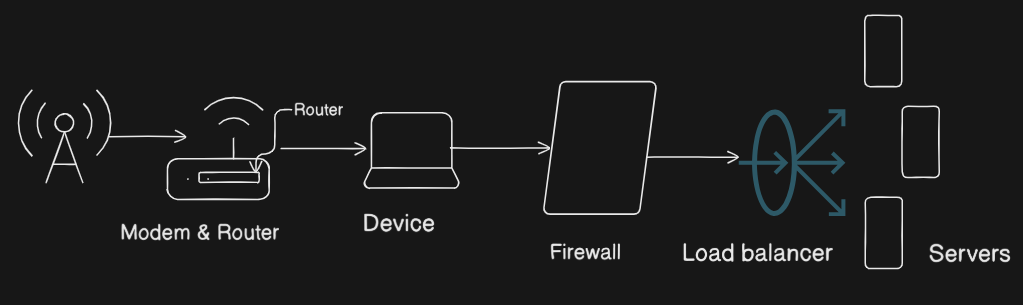
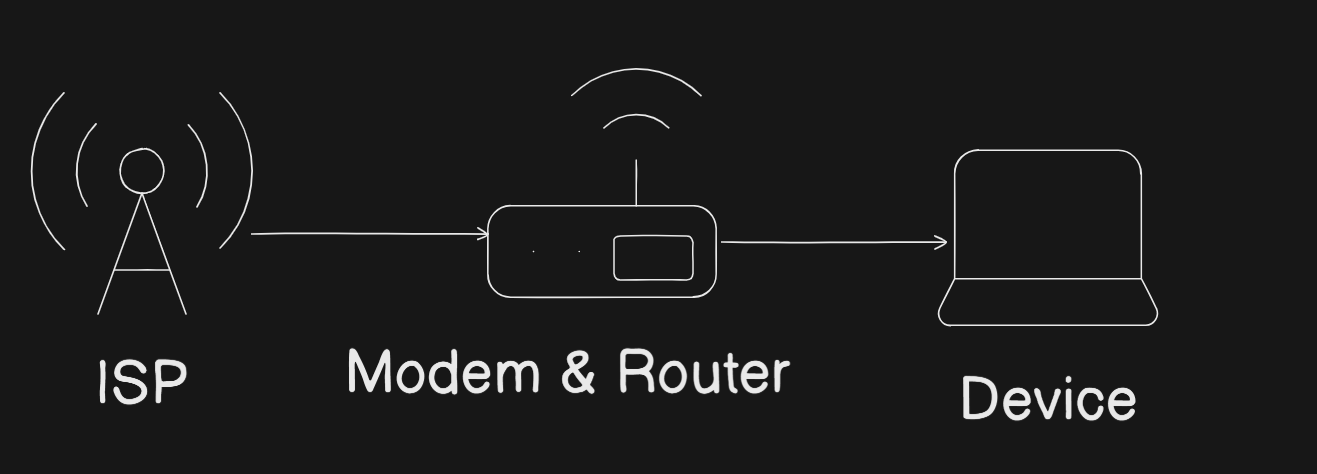
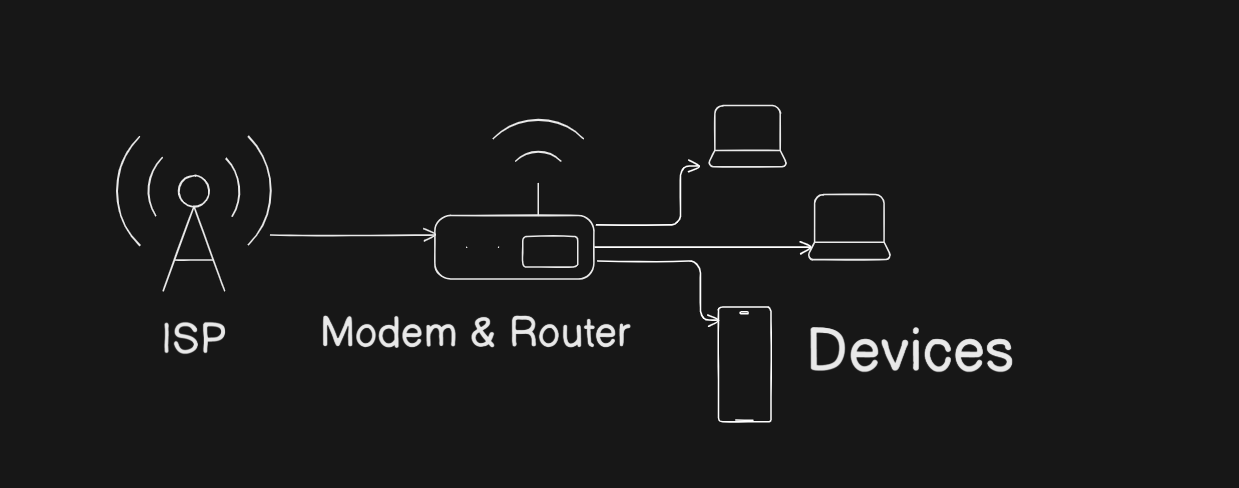
If we see the high level view of internet. It starts from ISP(Internet Service Provider - Airtel, VI, BSNL, Jio etc). The Internet doesn’t directly reach your device; it passes through networking devices, each device has a specific responsibility. These devices work together to move data from the global internet to your PC or Mobile phone.
In this flow each device has a clear job. Some device connects to the internet and some translates the coming signals from ISP, some routes the traffic. To understand this flow make easier why so many devices exist?
What Is a Modem and How It Connects You to the Internet?
Modem (modulator-demodulator) a device that connects your home or office network to the internet.
The signals are coming from ISP (Analog Signals) are not understandable to your device. It changes these signals into (Digital signals) suitable to your device, so that your device can read the data coming from the internet. The modem converts analog signals into Digital signals and vice-versa.
You can think modem as a translator. It ensures smooth communication between ISP and your device. Suppose ISP speaks one language and your device speaks another. The modem ensures both sides understand and communicate each other.
For software engineer, it draws a line between your system and public internet.
What is a Router and how it directs traffic?
When the internet reaches to your network through modem, it forwards to the router.
Now the router controls the flow / traffic of data. It decides where data should go? It receives the incoming traffic / data and forwards it to the correct device by examining IP address. When your devices sends data out, the router ensures that it should reach the correct destination.
Backend developers should aware of it because routers play a very important in data routing. They handle:
Examine IP address and forward the data
It Separates public and private network
Directing Data Traffic
Switch vs Hub: how local networks actually work?
There is a need of communication of devices with each other inside a local network. Hubs and switches fulfill this need.
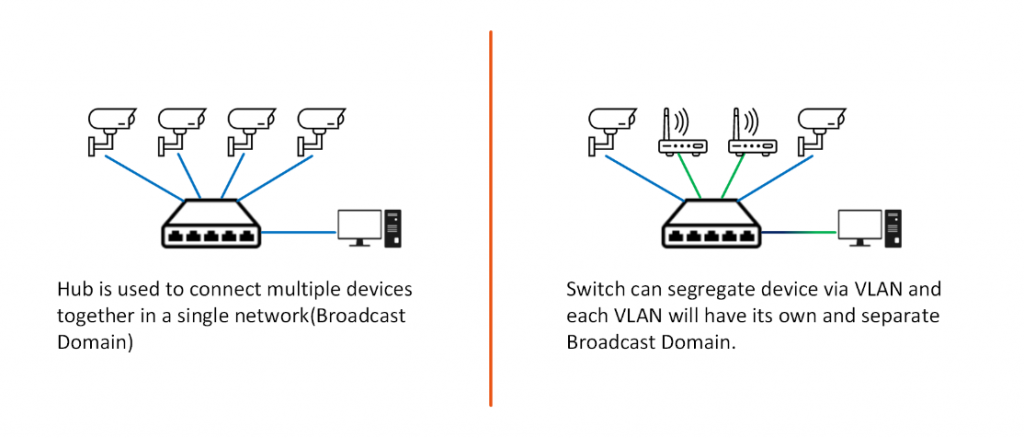
A Hub is a networking device with many ports. It helps to connect several devices to a single network. It’s use to receive data, it broadcasts that data to all connected devices, whether they need it or not. This function of hub makes it inefficient and noisy.
Unlike a hub, a switch is an intelligent networking device that connects multiple devices on a single Local Area Network (LAN). It identifies exactly which device is connected to which port, ensuring that data is sent only to the intended recipient rather than broadcasting it to everyone.
You can think of:
Hub: A hub functions by broadcasting raw data to every connected port, creating unnecessary network traffic.
Switch: A switch establishes a dedicated connection for each data, ensuring it reaches only the specific destination device.
Modern networks use switches almost everywhere because performance and efficiency matter
What is a Firewall and why security lives here?
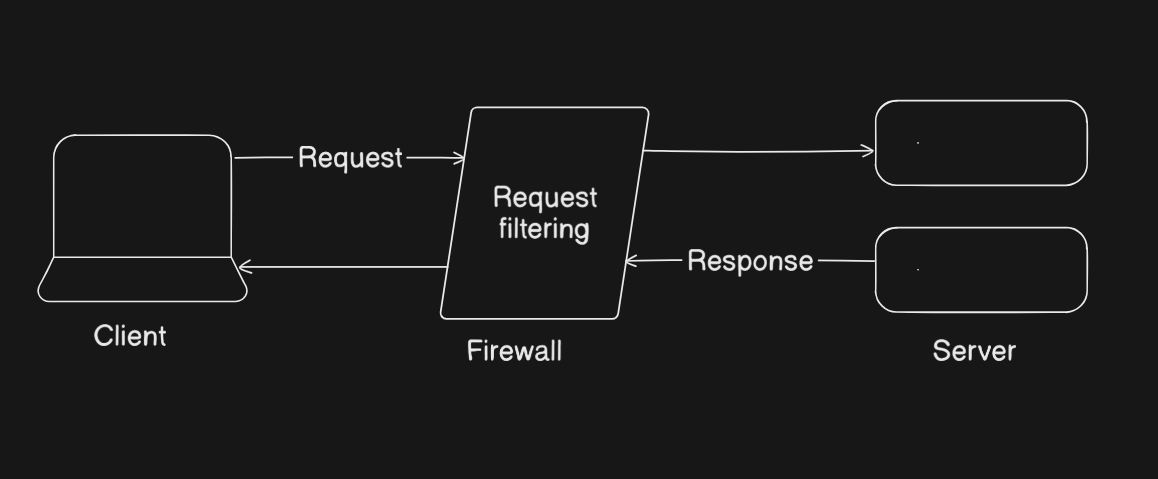
Firewall acts as a security guard for your network, it is available as hardware and software as well.
It does filter the incoming and outgoing traffic and decides what should be allowed or blocked based on predefined rules. Firewall protects networks from unauthorized access, malicious traffic, and accidental exposure.
Imagine firewall as a security guard at the entrance of the building, checking who is allowed or not.
For backend systems, firewalls are critical because they:
Protect databases and internal services
Restrict access to sensitive APIs
Reduce attack surfaces in production environments
Most security policies are enforced at this layer.
What is a Load Balancer and why scalable systems need it?
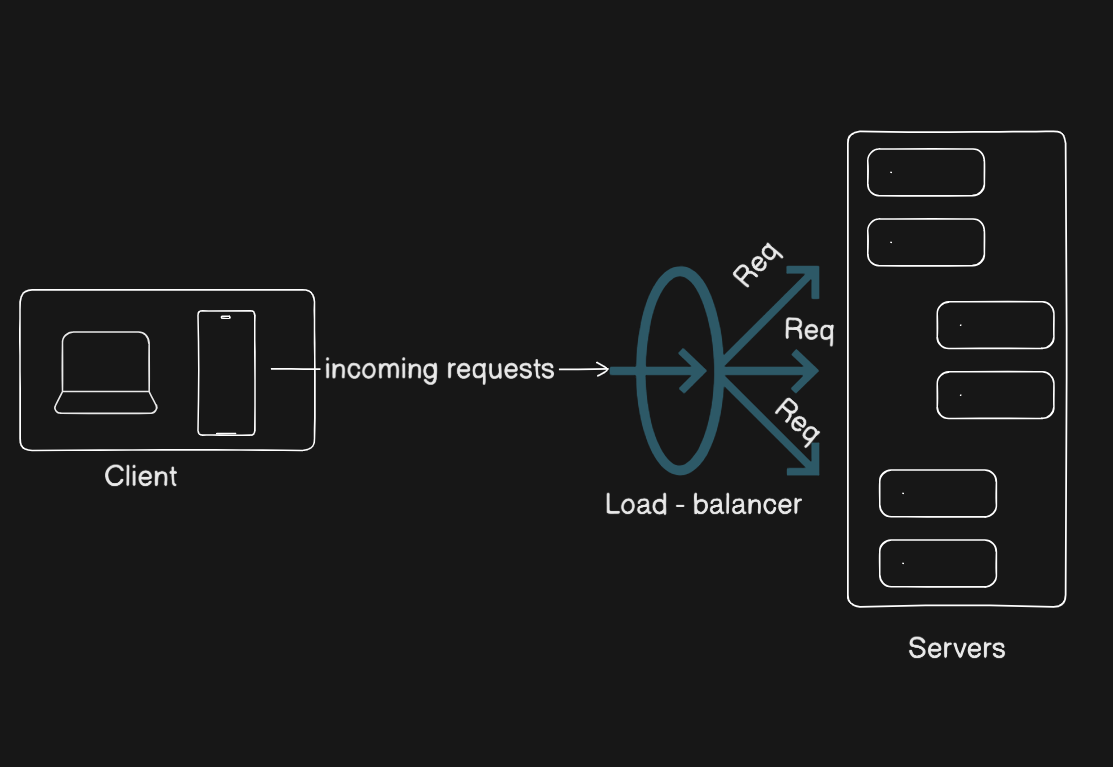
As the applications grow (user increases), a single can not handle the traffic (requests/data). Load balancers handle this traffic easily and app runs smoothly.
A load balancer deploys in front of multiple servers that distributes incoming traffic among them. This ensures no single server is overloaded and the system remains available even if one server fails.
For software engineers, load balancers are essential for:
High availability
Horizontal scaling
Zero-downtime deployments
Almost all large production systems rely on them.
How all these devices work together in a real-world setup?
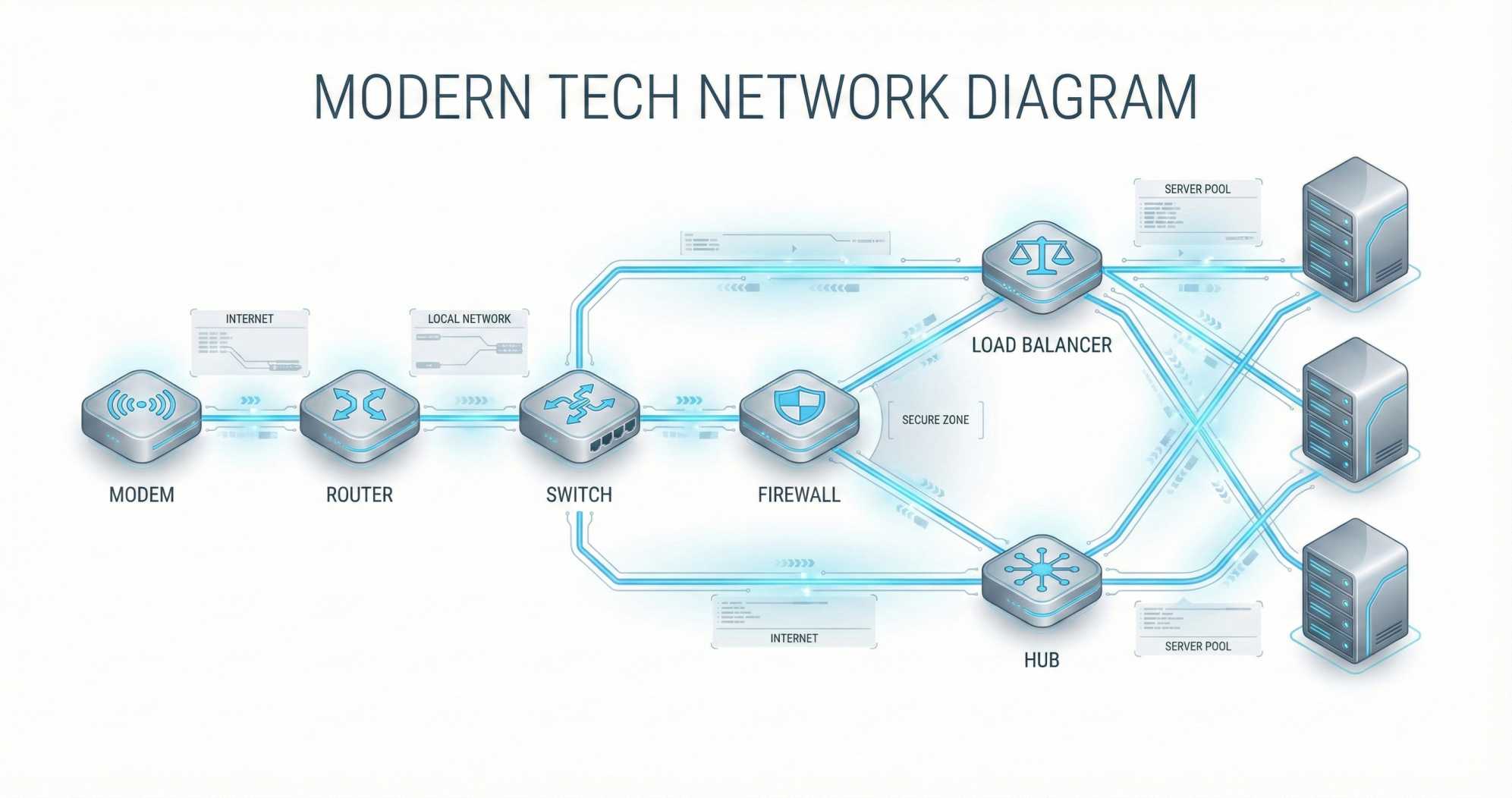
In a real-world setup, these devices are not isolated. They form a pipeline through which data flow(move).
The typical flow looks like this:
Internet traffic enters through the modem
The router directs traffic into the local network
A firewall filters and secures the traffic
A switch connects multiple internal devices
A load balancer distributes requests across servers
This layered design makes systems modular, secure, and scalable.
Why These devices Matters for Software Engineers
Even if you never configure networking hardware yourself, these concepts directly affect your work.
Backend developers deal with:
Latency and timeouts
Network failures
Security rules
Traffic spikes
Understanding where each device sits helps you find (reason) about production issues and design better systems. Many mysterious bugs are actually network behavior that makes perfect sense once you understand the architecture.