Virtual DOM Under the Hood: A Beginner's Guide
A high-level view of How virtual DOM works under the hood
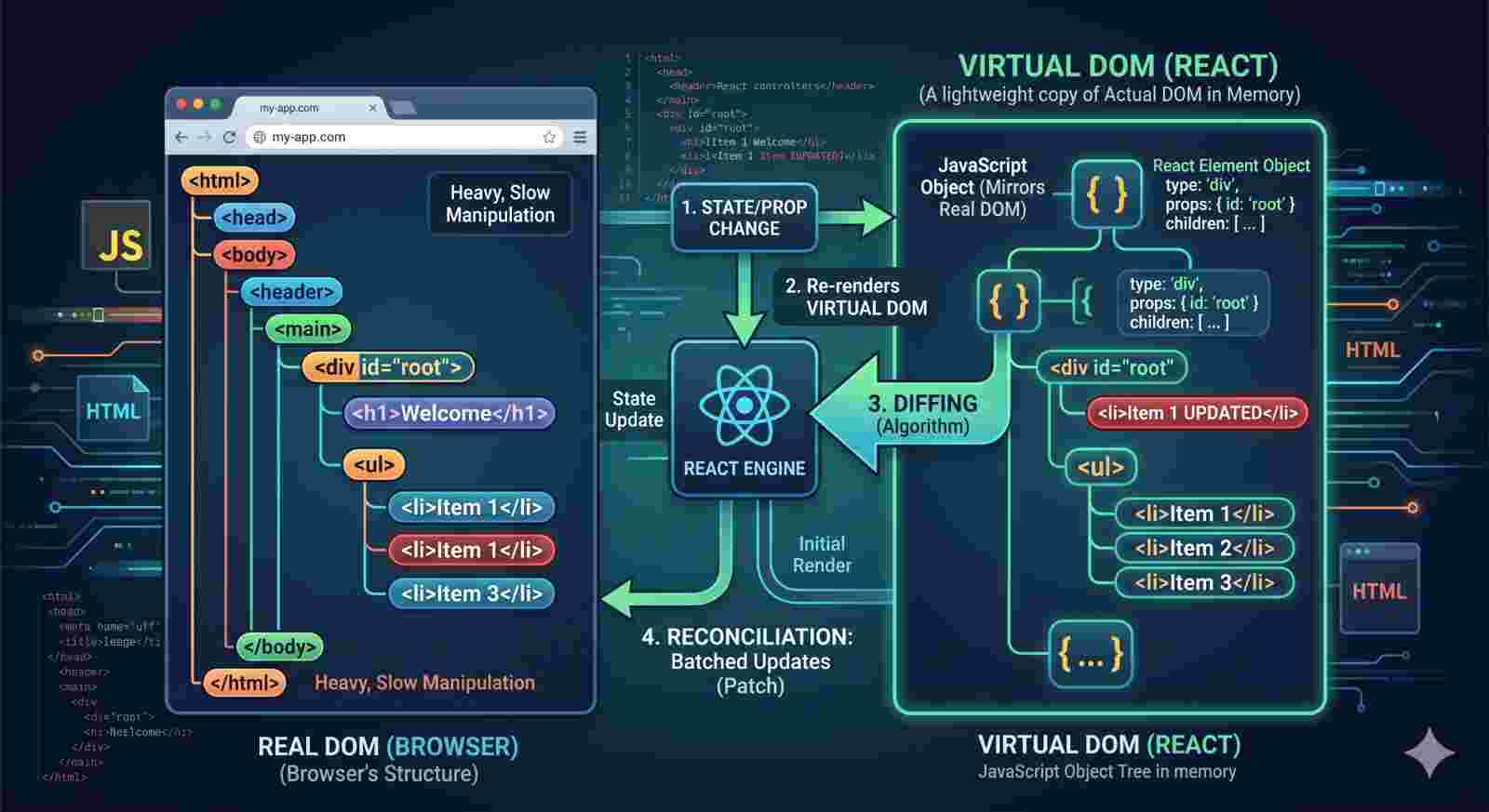
Whenever you want to learn React, You have probably heard about the Virtual DOM
Without virtual DOM
Suppose, you have a list that contains 10 items, but for some reason you have to update only one item of the list, most JavaScript's framework and plain JavaScript as well will re-render / rebuild / repaint the entire list. That is 10 times more work than necessary. Virtual DOM only updates what is necessary.
Real DOM vs Virtual DOM
Real DOM(Document Object Model)
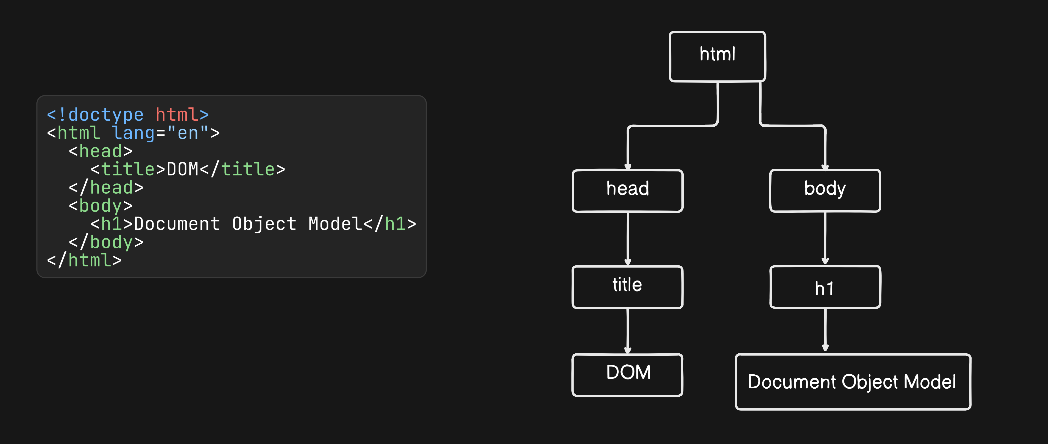
It's a programming interface (interface - A set of rules) in browser. DOM connects web pages (HTML, CSS, or XML etc.) to scripts or programming languages by representing the structre of a web page / document in memory. DOM often misunderstood that it's the core JavaScript. HTML, SVG, or XML documents are modled (created) as objects.
DOM represents a document as tree of nodes and all nodes contains / are objects. It has methods and properties to manipulate (change the structure, style, and content) it.
Virtual DOM
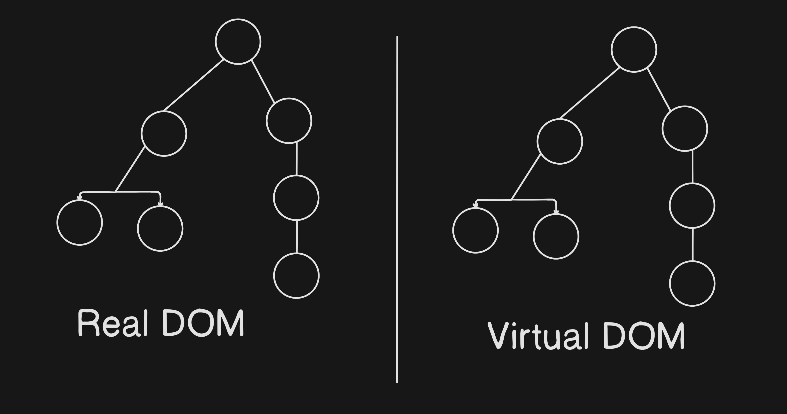
It'a lightweight copy of Actual / Real DOM in memory. It's nothing but a JavaScript object that perfectly mirros / copies the real DOM maintained by react.
Working of Virtual DOM
Whan an update occurs, React manages it through a systemtic process called Reconsiliation.
Step are mentioned How virtual DOM works.
Initial Render:- When the app starts, React also creates a virtual DOM that mirros / copies the actual / real DOM.
State Change:- When the states or props change in the app, React creates new virtual DOM and re-renders the updated components in the virtual DOM. These changes do not immediately impact the real DOM.
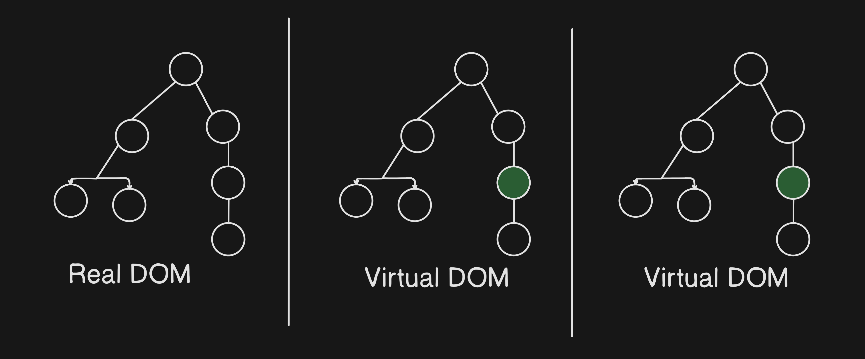
Diffing Algorithm:- When differences / updates are identified, React compares the new Virtual DOM with the previous version of virtual DOM to exactly which elements have changed.
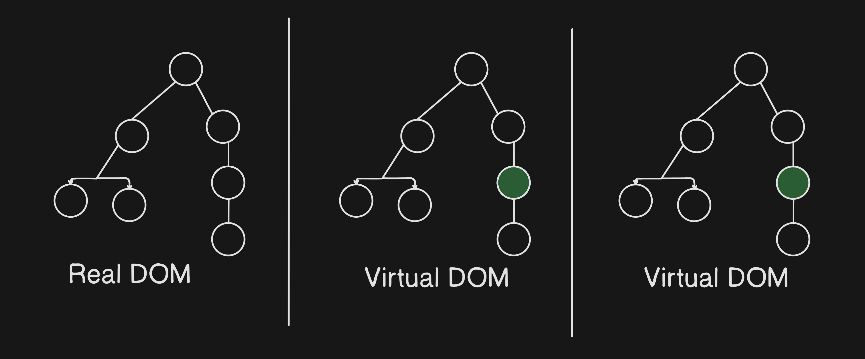
Reconsiliation / Minimal updates applied:- Based on the differences identified, React determines the most efficient way to update the real DOM. Only the parts of the real DOM that need to be updated are changed, rather than re-rendering the entire UI. This selective updating is quick and performant.
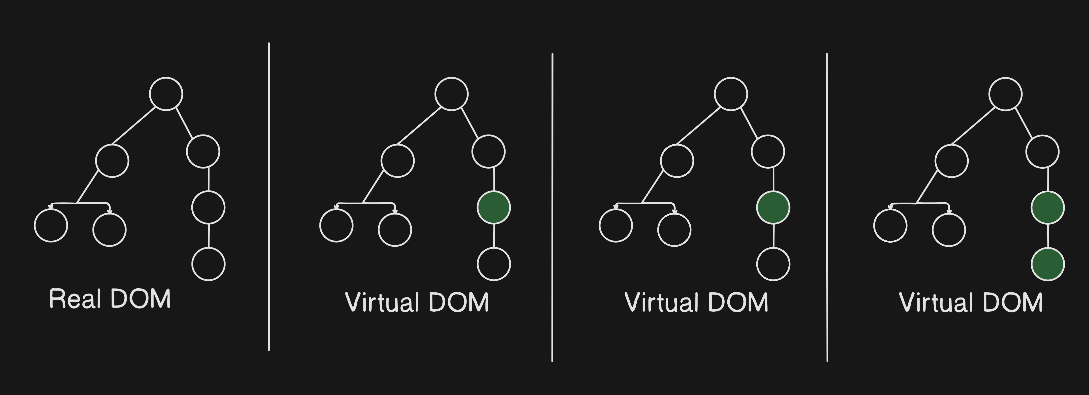
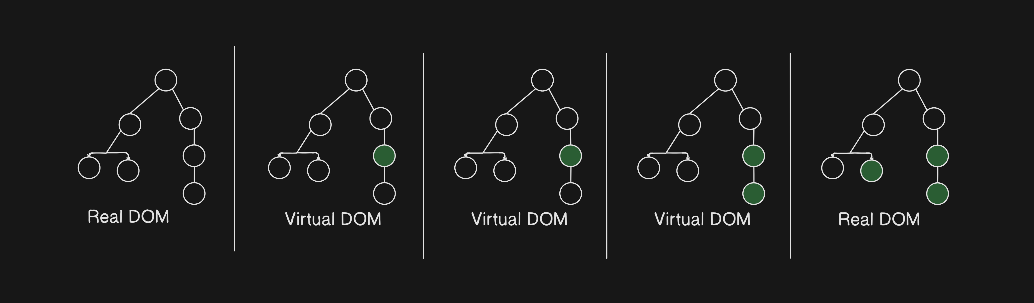
Update to Real DOM:- Finally, React applies the necessary changes to the real DOM. This might involve adding, removing, or updating elements based on the differences detected.
Addons about React
virtual DOM is an abstraction / simplified version of DOM implemented by React, not a browser feature. Browsers have the real DOM, The virtual DOM exists solely in memory within React and is used to optimize updates to the real DOM.
Let's take the example-
import { useState } from 'react';

function App() {
 const [count, setCount] = useState(0);

 return (
   <div>
     <h1>Counter: {count}</h1>
     <button onClick={() => setCount(count + 1)}>Increment</button>
   </div>
 );
}

export default App;
The virtual DOM representation
{
 "type": "div",
 "props": {},
 "children": [
   {
     "type": "h1",
     "props": {},
     "children": [
       {
         "type": "TEXT_ELEMENT",
         "props": {
           "nodeValue": "Counter: 0"
         }
       }
     ]
   },
   {
     "type": "button",
     "props": {
       "onClick": "setCount(count + 1)"
     },
     "children": [
       {
         "type": "TEXT_ELEMENT",
         "props": {
           "nodeValue": "Increment"
         }
       }
     ]
   }
 ]
}
When the Increase button is clicked once, only the h1 element is changed:
{
 "type": "h1",
 "props": {},
 "children": [
   {
     "type": "TEXT_ELEMENT",
     "props": {
       "nodeValue": "Counter: 1"
     }
   }
 ]
}