What is a server
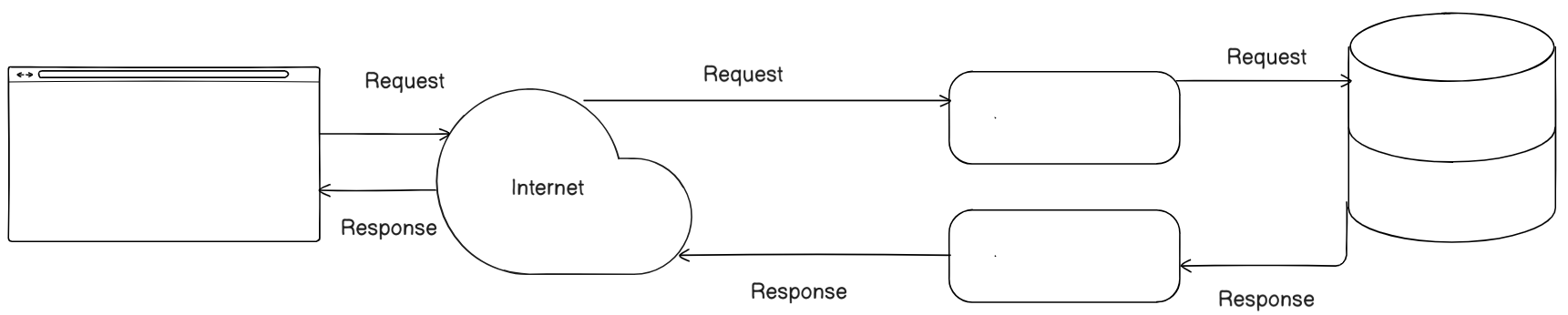
A server is nothing but anything that serves something. In computer science, a server is a computer/software that provides information to other computers (clients). It receives requests, processes them, and sends back responses.
Servers usually perform tasks such as:
Storing and retrieving data
Running application logic
Connecting to databases
Sending responses over the internet
For example, when a user opens a website in the browser, the browser sends a request to a web server. The server processes the request and sends back the webpage content, which the browser then renders.
Why Do Clients Need to Talk to Servers?
These days, most applications do not work in isolation. These applications depend on performing these key tasks, such as authentication, authorization, data storage, and business logic.
Client needs to talk to the servers because:
Fetch users’ data, like user profiles or product lists
Send data like login details or form submissions
Update or delete existing information
This communication system follows a request–response model. The client always initiates the request, and the server always sends back a response.
What is cURL
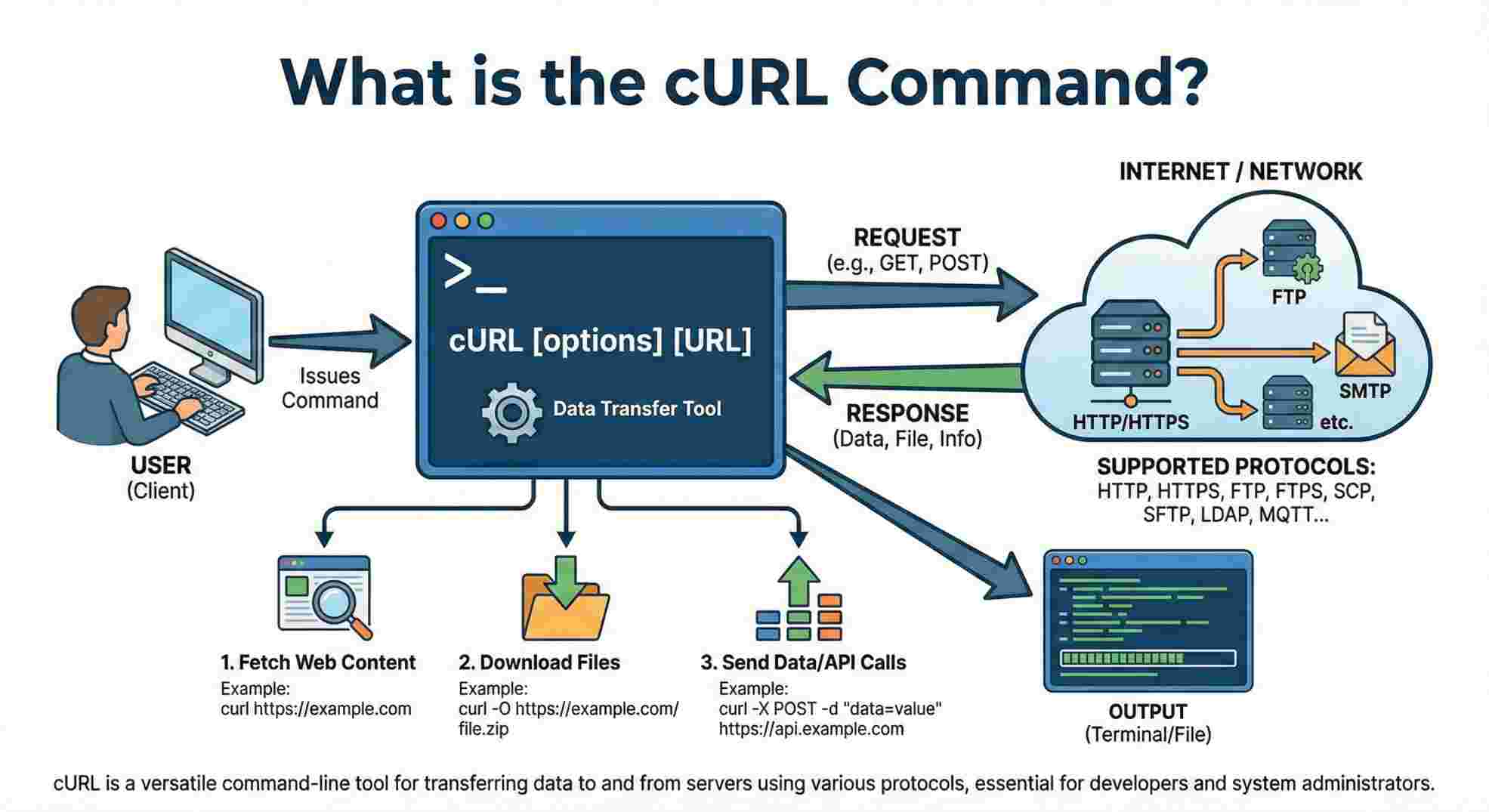
cURL is a command-line tool (a utility) that allows users to send a request to a server and receive responses directly in the terminal.
In a simple way to send messages (queries) to a server without using any application. Typing the cURL command, it sends the request to the server, and the server’s response is printed on the terminal window.
cURL is widely used because it is:
Simple and lightweight
Available on most operating systems
Extremely useful for testing and debugging
Why Programmers Need cURL
For programmers, cURL is more than just a tool. It is a teacher. It helps you understand exactly how the internet works by showing you the raw conversation between computers.
Using cURL helps programmers:
Understand how HTTP communication works
Test APIs without building a frontend
Debug server-side issues quickly
Gain confidence working with backend systems
Many beginners struggle with APIs because they never see what is actually being sent or received. cURL removes that confusion by showing everything clearly in the terminal.
Making Your First Request Using cURL
The simplest thing you can do with cURL is fetch a webpage.
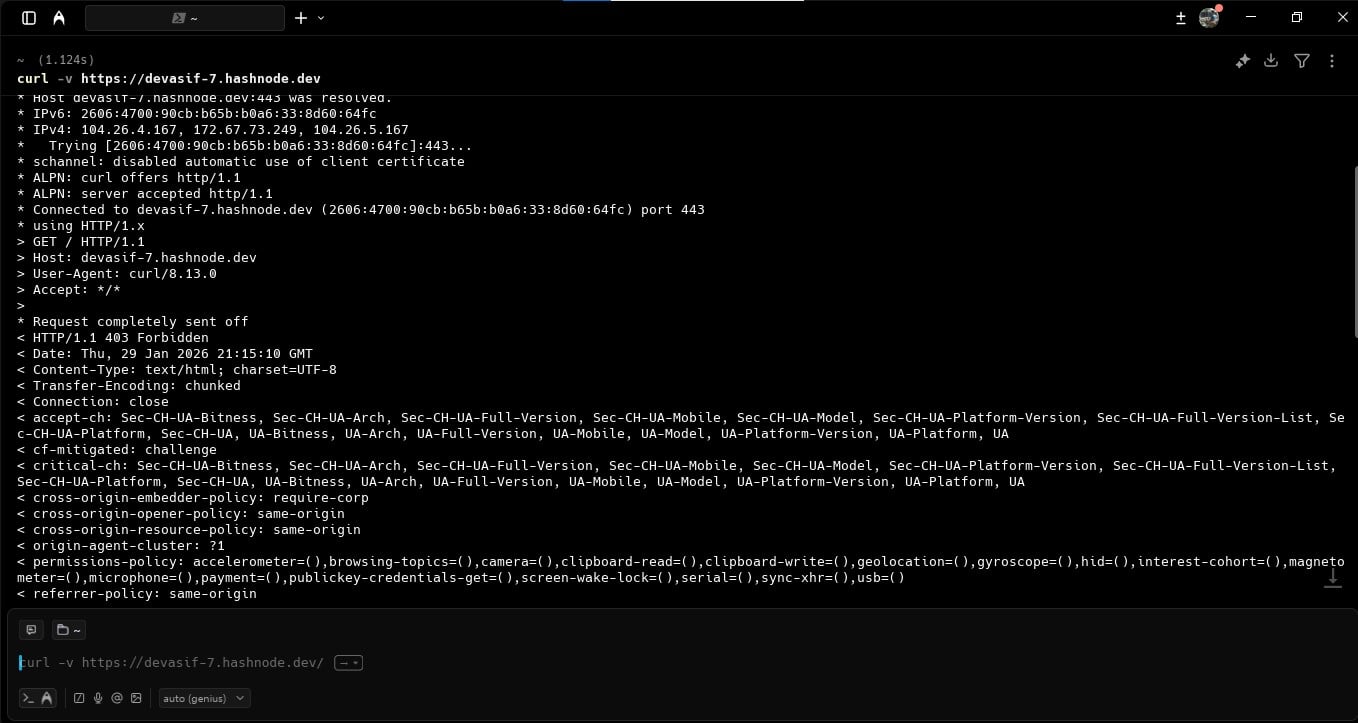
For example, when you run the following command:
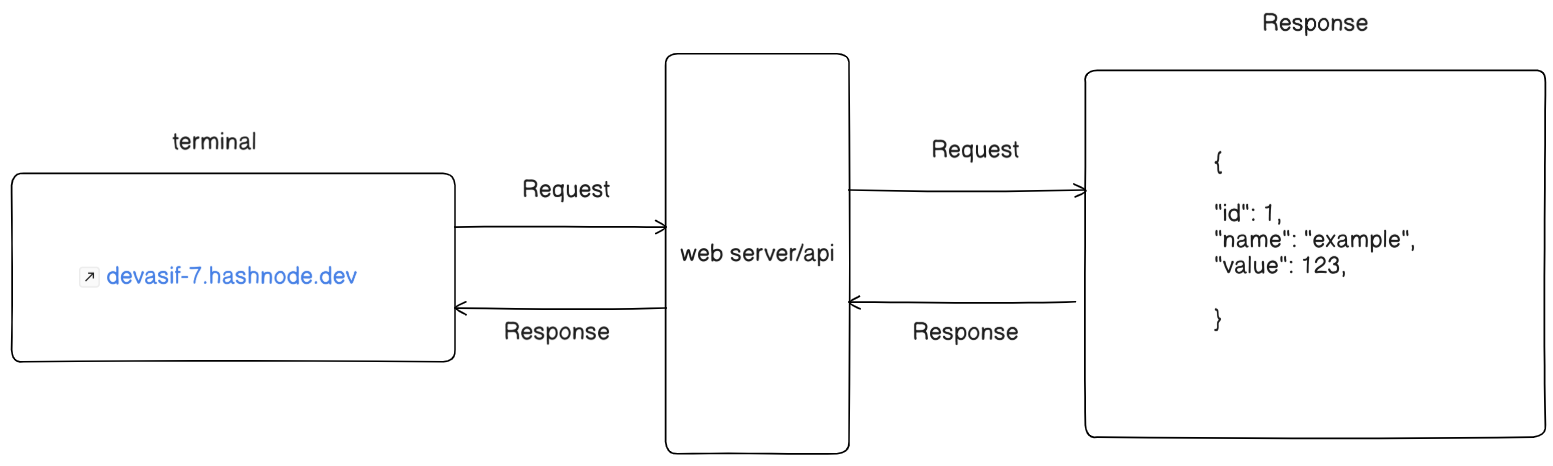
curl https://devasif-7.hashnode.dev
cURL sends a request to the server at devasif-7.hashnode.dev. The server processes the request and sends back a response containing the webpage’s HTML. cURL then prints that response directly in the terminal.
This single command demonstrates the core idea behind cURL: sending a request and receiving a response.
Understanding Request and Response
Every interaction using cURL follows the same pattern: a request is sent, and a response is received.
A request usually includes:
The server address (URL)
The type of action to perform
A response usually includes:
A status code indicating success or failure
Data returned by the server
For example, a status code of 200 means the request was successful, while 404 means the requested resource was not found. Understanding these responses is key to debugging and learning how servers behave.
GET and POST Requests
HTTP defines different types of requests, but beginners only need to focus on mainly two: GET and POST.
A GET request is used to request data from a server. When you fetch a webpage or retrieve user data, you are usually making a GET request.
A POST request is used to send data to a server. This is commonly used for actions like logging in, signing up, or submitting forms.
cURL supports both of these request types and allows you to experiment with them directly from the terminal.
Using cURL to Talk to APIs
APIs are codes/servers that are designed to return data instead of web pages. They often return data in formats like JSON.
When you use cURL to call an API, the process is the same:
cURL sends a request
The API processes it
The response is returned in the terminal
This is how mobile apps, web apps, and backend services communicate with each other. cURL allows you to experience this communication firsthand.
Common Mistakes Beginners Make with cURL
Beginners often try to learn cURL by memorizing many command options at once. This can be confusing and discouraging.
Other common mistakes include:
Ignoring the response and focusing only on the command
Not understanding status codes
Assuming cURL is only for advanced users
The best approach is to start simple, understand the basics, and gradually explore more features.
Conclusion
cURL is a powerful yet beginner-friendly tool that helps developers understand how clients and servers communicate. By using cURL, you gain a clearer picture of how requests are sent, how servers respond, and how APIs work internally.